Array Methods
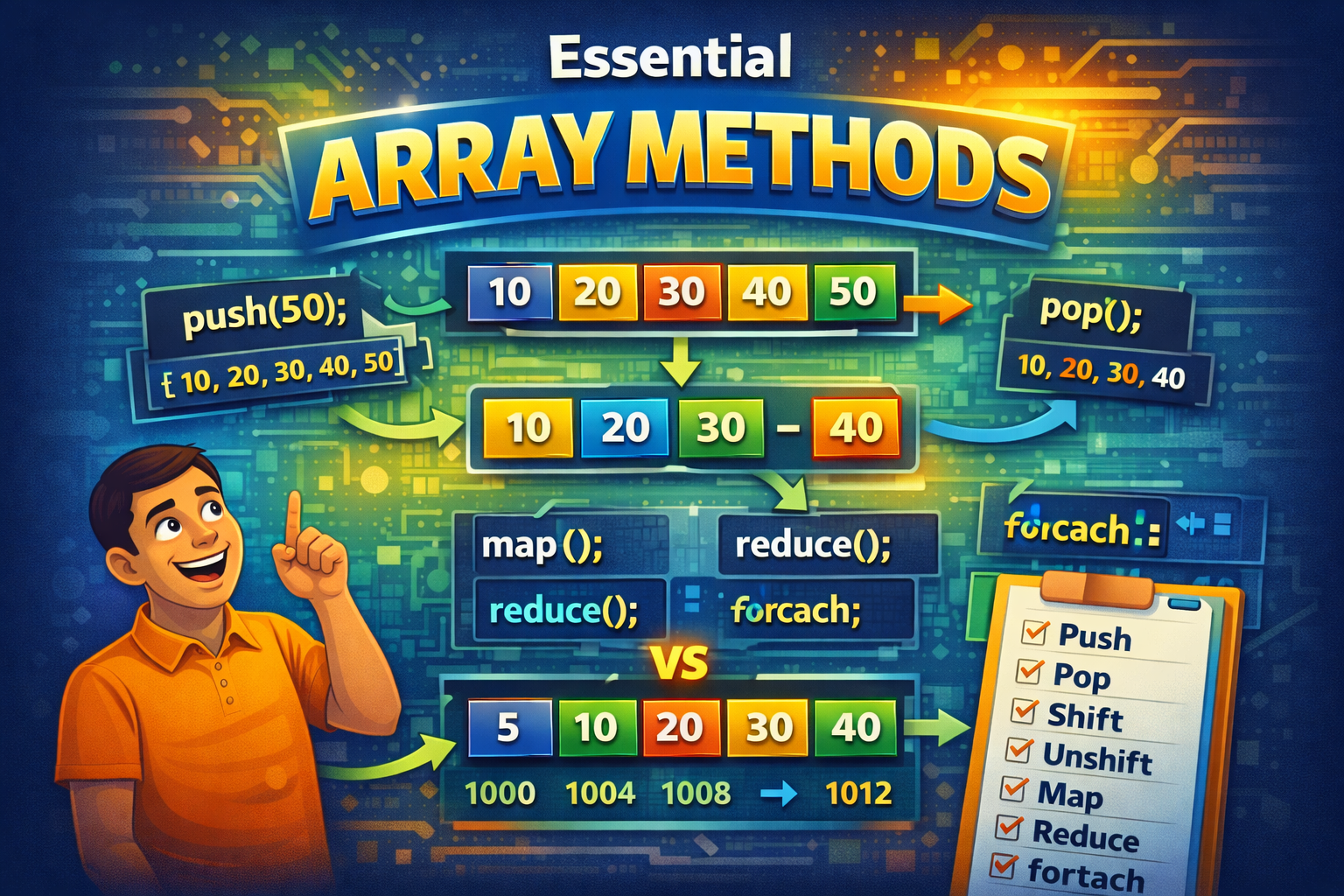
Array is a special type of object in JavaScript object used to store a collection of multiple values under a single variable name. Array are flexible means you can store different type of data In it like Boolean, number, string, object etc. So now we know what is Array overall, if you want to know more, you can visit my Array Blog . Array have it’s own built-in methods for common operations like adding, removing, accessing, and iterating over elements.
Today we going to understands about such method in this blog. Let’s go
Push, Pop, Shift & Unshift
let fruits = ["Apple", "Banana", "Mango", "Orange"];
Push Method
Push method is used to add elements at the end of array, it mutates(changes) the original array and returns the new length of the array.
console.log(fruits.push('cherry')) // returns new length of array i.e., 5
console.log(fruits) // ["Apple", "Banana", "Mango", "Orange", 'cherry];
Pop method
Pop method removes the element at the end of the array and returns the deleted element .
console.log(fruits.pop()) // returns 'orange'
console.log(fruits) //  ["Apple", "Banana", "Mango"];
Shift method
Shift method removes the first element in the array and returns the removed element .
console.log(fruits.shift()) // 'Apple'
console.log(fruits) // ["Apple", "Banana", "Mango", "Orange"];
UnShift method
Unshift method insert new element at the first of array before the first element and returns the new array length
console.log(fruits.unshift('pineapple')) // returns the new length element, inserts at first
console.log(fruits) // ["pineapple", "Apple", "Banana", "Mango", "Orange"];
Map, Filter, Reduce and Foreach
let arr = [1, 2, 3, 4, 5];
Map
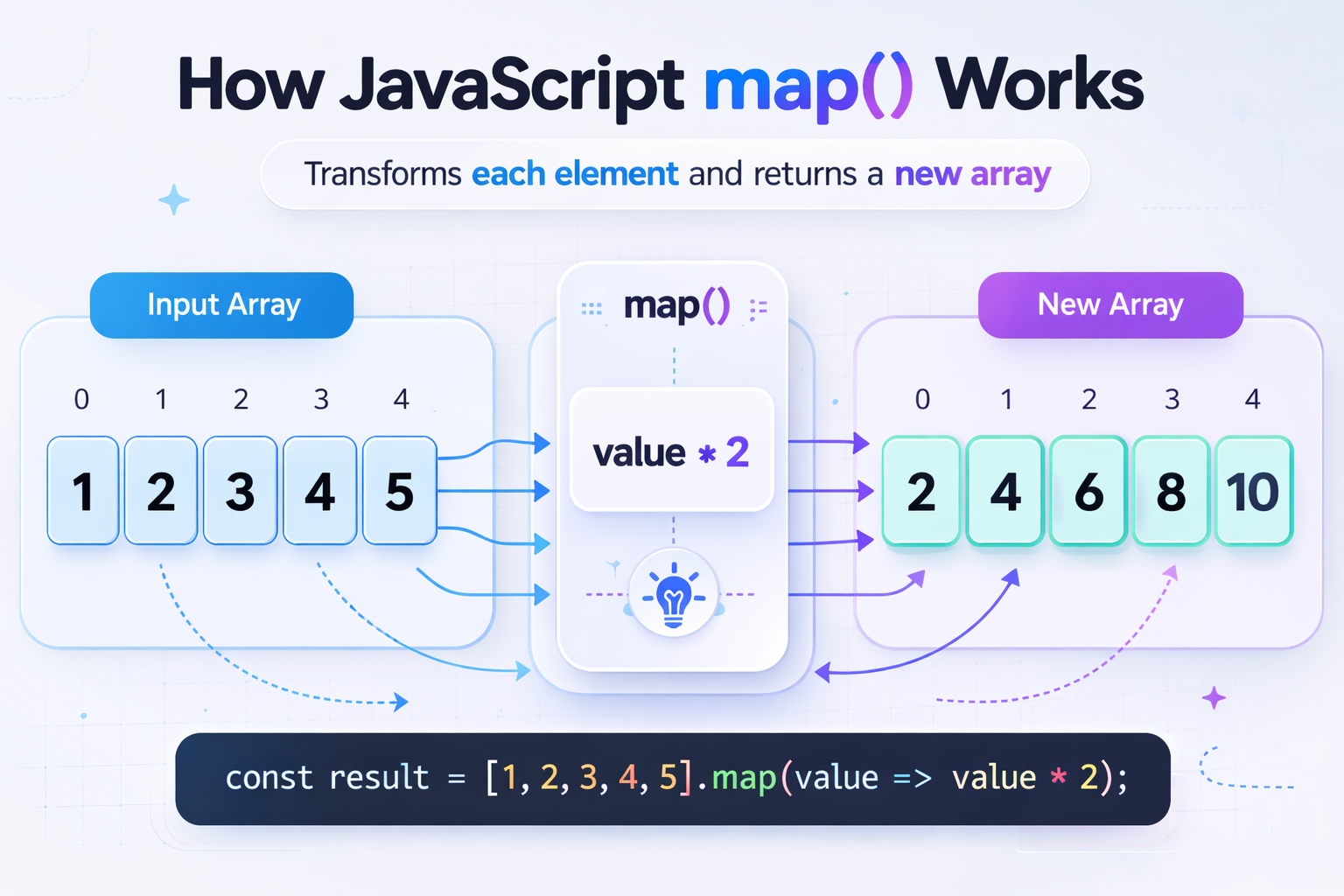
Map returns new array with the modified values from the existing array. Map takes an callback so it can be an arrow function or normal function and based on that it returns value. So basically in a easy way, we can say it modifies the array and returns a new array .
console.log([1, 2, 3, 4, 5];)

let newArr = arr.map((value, index, currentArr) => {
    let newValue = value + 2
    return newValue = \({newValue}, index - \){index}

})

// Below both statements are same

let valueIncreaseByDouble = arr.map(value => value * 2)

let valueIncreaseByDouble = arr.map(function (value) {
    return value * 2
    }
)

console.log(valueIncreaseByDouble) // output [2,4,6,8,10]
Filter
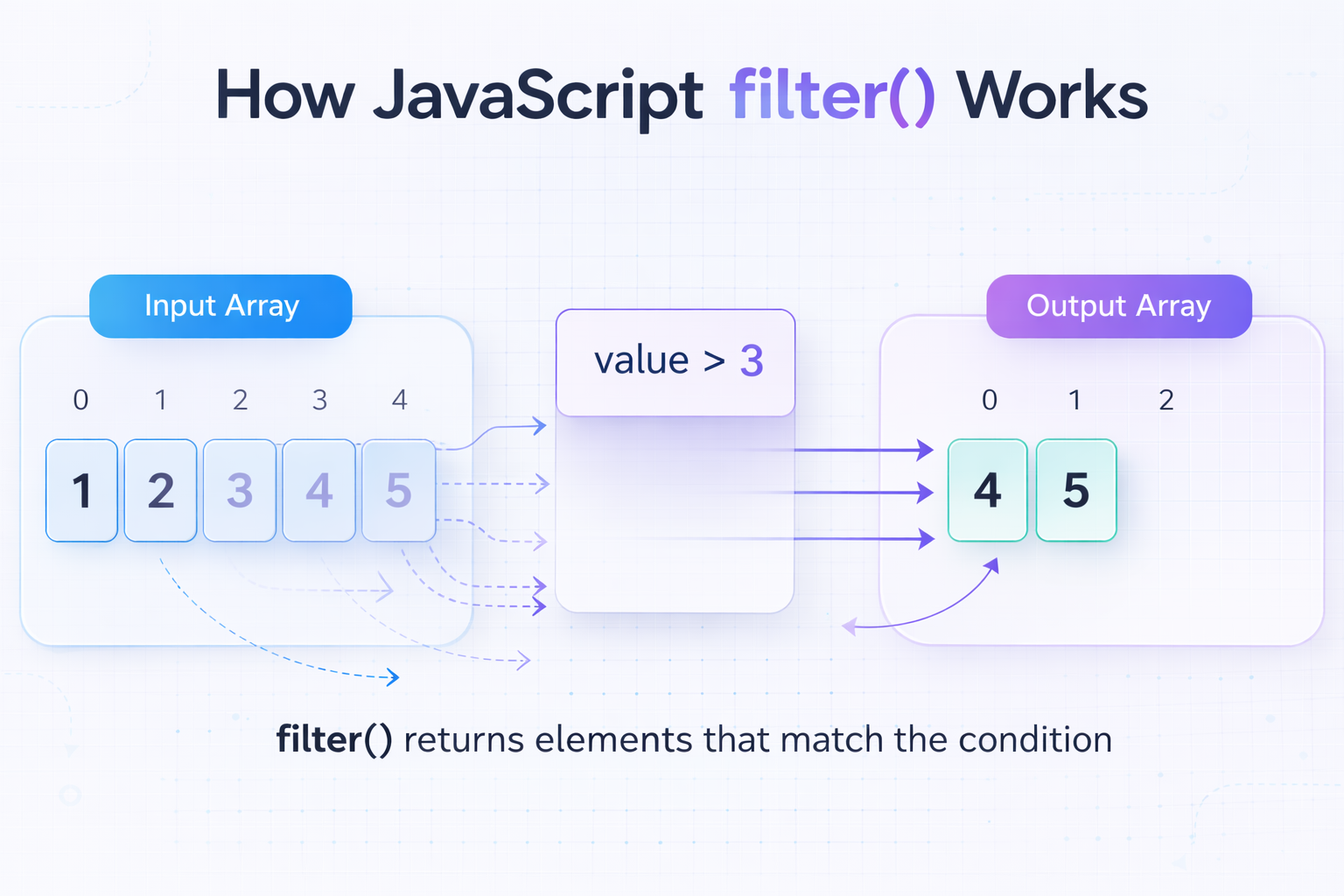
Returns a new array, which is created form the previous array and take condition and only keeps the true condition. If the condition is true, then only the element will be added.
console.log(arr) // [1,2,34,5]

let filteredArr = arr.filter(value => value > 3) // returns elements greater than 3
console.log(filteredArr) // [4,5]
Reduce
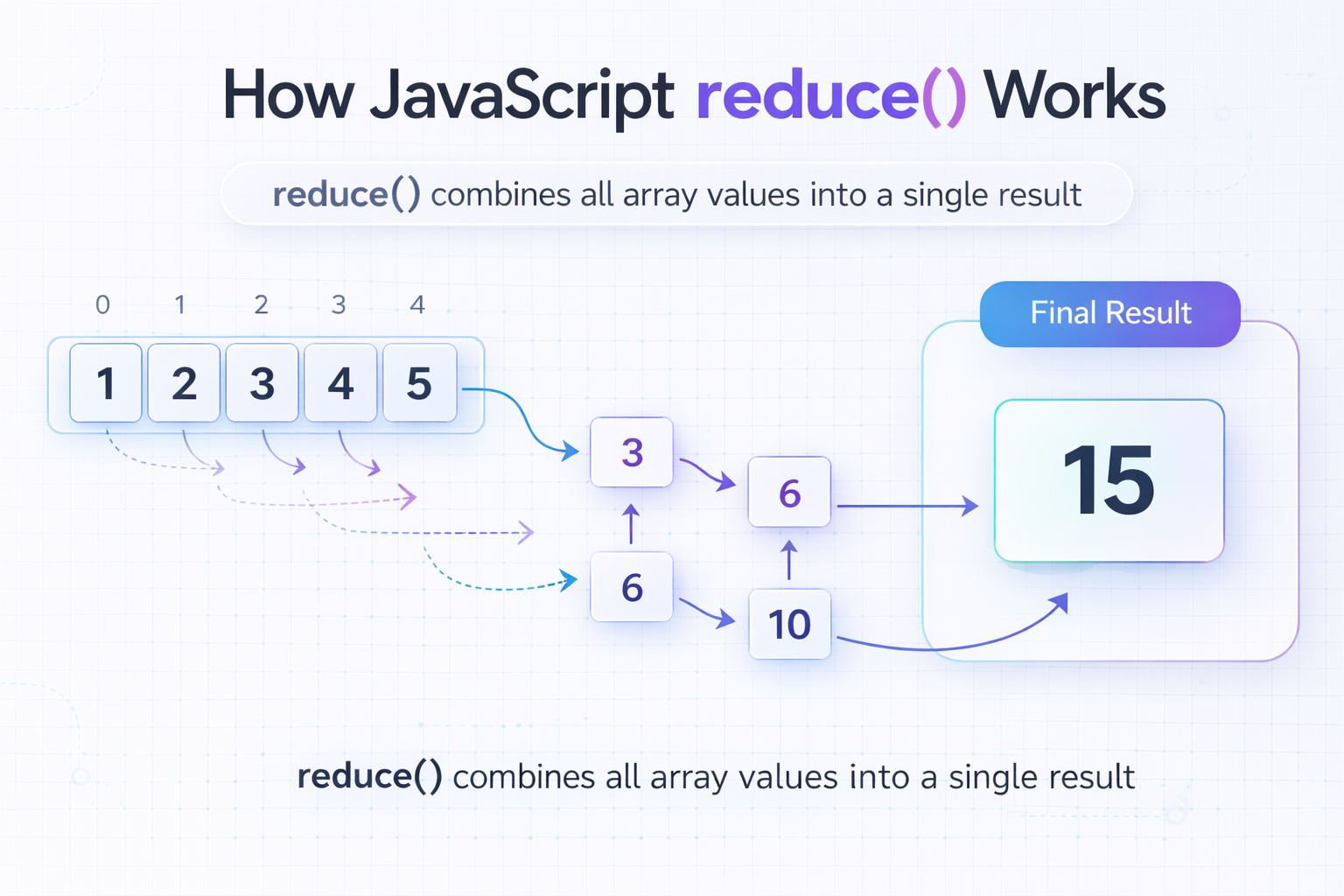
Reduce method returns a single value from the whole array. Let's say you have a list of marks in an array and you want to calculate total marks or maximum marks etc. then you can use it. It takes three parameter, accumulator means previous value with some manipulation and initial value, in this problem we have given 0.
array.reduce((accumulator, currentValue) => {
  return updatedValue;
}, initialValue);

let sum = arr.reduce((sum, next) => sum + next, 0)
Suppose you want to use all methods at one here's how you can do it
let allMethods = arr.map(value => value * 2)  // [2, 4, 6, 8, 10]
                .filter(value => value > 5    // [6,8,10]
                .reduce((sum, next) => sum + next, 0) // 24
Foreach
let forEachArr = arr.forEach((value, index) => console.log(`Value: \({value}, index:\){index}`));

console.log(forEachArr)
// Value: 1, index: 0
// Value: 1, index: 1
// Value: 3, index: 3
// Value: 4, index: 4
// Value: 5, index: 5
The forEach() method in JavaScript is used to run a function for each element in an array. It helps you loop through all items in an array easily.
Loops vs Maps / Filter
Loops are the general technique which you can use in Array, string, object anything which is iterable, whereas map, filter are in-built methods which came with array only. It is short and concise. Simple looping doesn't give us array it's just we can retrieve elements . Maps & Filter returns a whole new array with modified elements.
Conclusion
Array is a kind reference data types, which helps us to store multiple elements under one variable. Array have difference in-built methods. We have seen how they work. It will us in future for working in Array.


