Arrow Functions in JavaScript

In JavaScript, normal function are used to write function, but in ECMAScript 6 (ES6) introduced Arrow Function to make function syntax simpler and cleaner. Let's see it.
What are Arrow Function
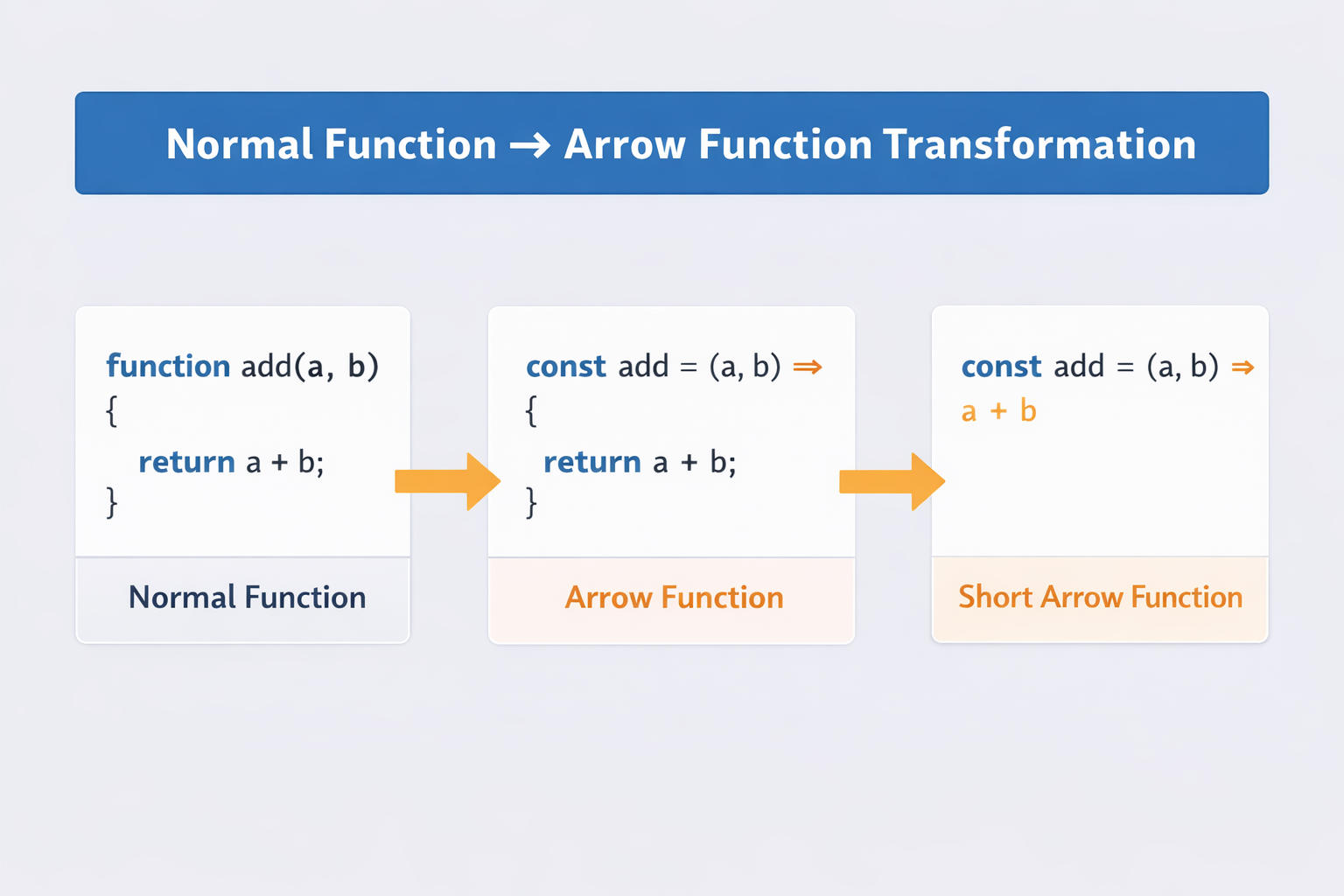
Arrow functions are a shorter and modern way of writing a functions in JavaScript. There's actually no difference structure wise, just the arrow function are concise.
// Normal function (traditional way)

function add(a, b) {
  return a + b;
}


// Arrow Function Version

const add = (a, b) => {
  return a + b;
};
Both are same and will give the same output.
Shorter Arrow Function
If our logic too short then there's no need to give curly braces and return keyword
// For example.
const add = (a,b) => a+b


const numbers = [1, 2, 3, 4];

const doubled = numbers.map(num => num * 2);// Arrow fn can be used as callback

console.log(doubled); // [2,4,6,8]
Arrow functions with one parameter
If the arrow function accepting only one parameter, then it’s not necessary to give brackets.
// for example
const greet = name => {
  return "Hello " + name;
};


const greet = name => "Hello " + name;
Arrow Functions with multiple parameters
Arrow functions are also able to accept multiple parameters.
const add = (a,b,c,d) => {
    return a + b+ c+ d
}


const multiply = (x, y) => x * y;

console.log(multiply(4, 5)); // 20
Implicit return vs explicit return
In a normal function we have to use return keyword to send the output, in arrow function we can deliberately not give return keyword and it will still return it .
const multiply = (x, y) => x * y;
So when your logic if short and concise you don’t need to use return, it will return by default this is implicit return. If you use curly braces then you need to explicitly write return keyword
Arrow Function vs Normal Function
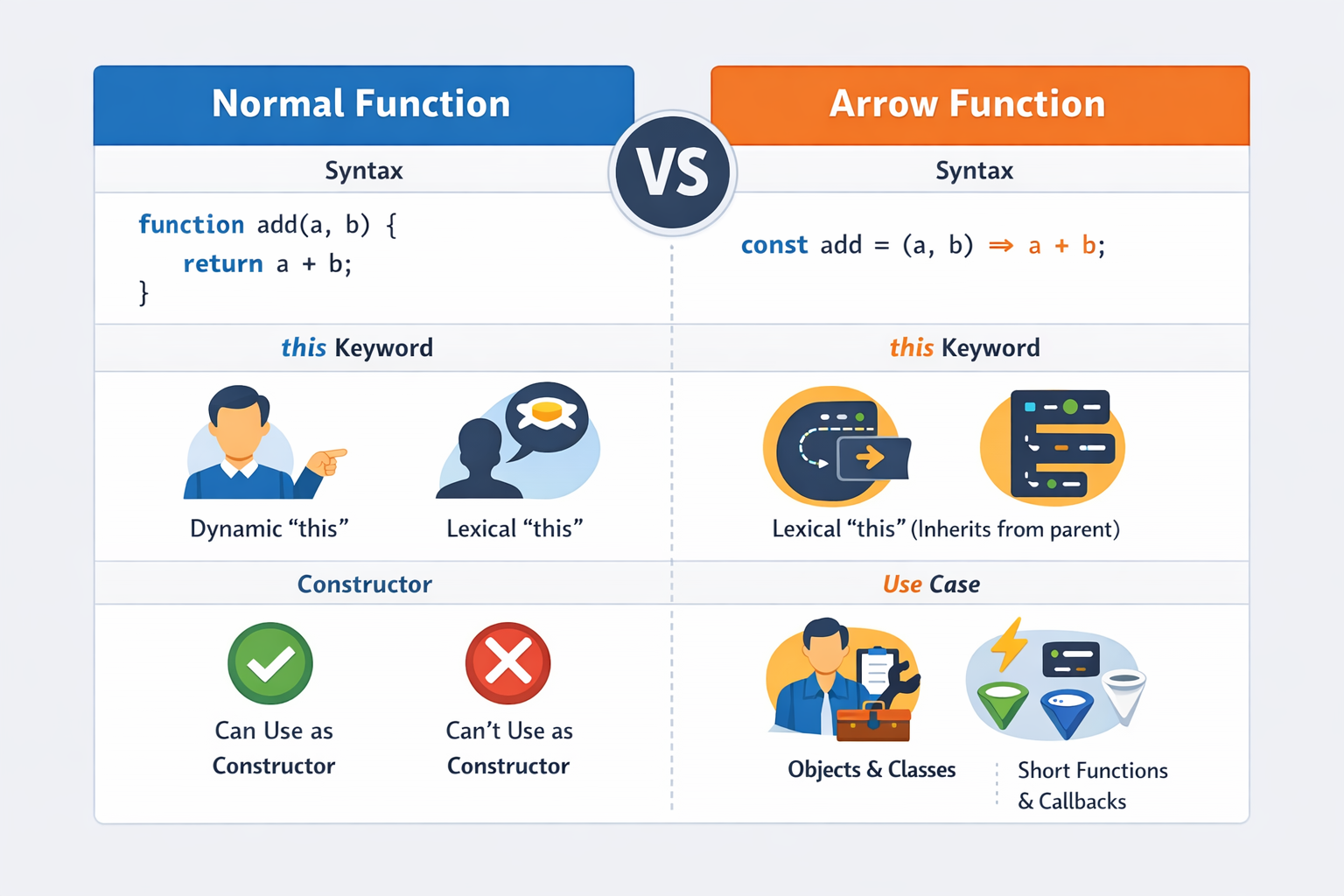
- Syntax Difference
// Normal Function
function add(a, b) {
  return a + b;
}


// Arrow Function
const add = (a, b) => a + b;

// 👉 Arrow functions use the => arrow syntax, which makes the code shorter.
- this context
Normal function have this context, but arrow function do not have their own this, they inherit it .
- Constructor Function
While making constructor functions, we have to use normal function , arrow functions are not allowed.
Conclusion
In this blog, we understood Arrow Functions in JavaScript, which is basically a shorter and concise way to write function which do not have their this context.


