DNS Record Types Explained

Have you ever wandered how does your browser knows where the website is, well browser doesn’t it all it takes help of DNS. Every machine, server are able to connect and communicate with each other with the Unique numbers that are assigned to them, known as IP. Now we don’t have to remember the complex, and long IP’s we can just simply type the human readable names e.g. facebook.com . DNS will take care of it. DNS translates the domain names for example google.com etc. to machine readable IP address for example, 198.0.4.12.
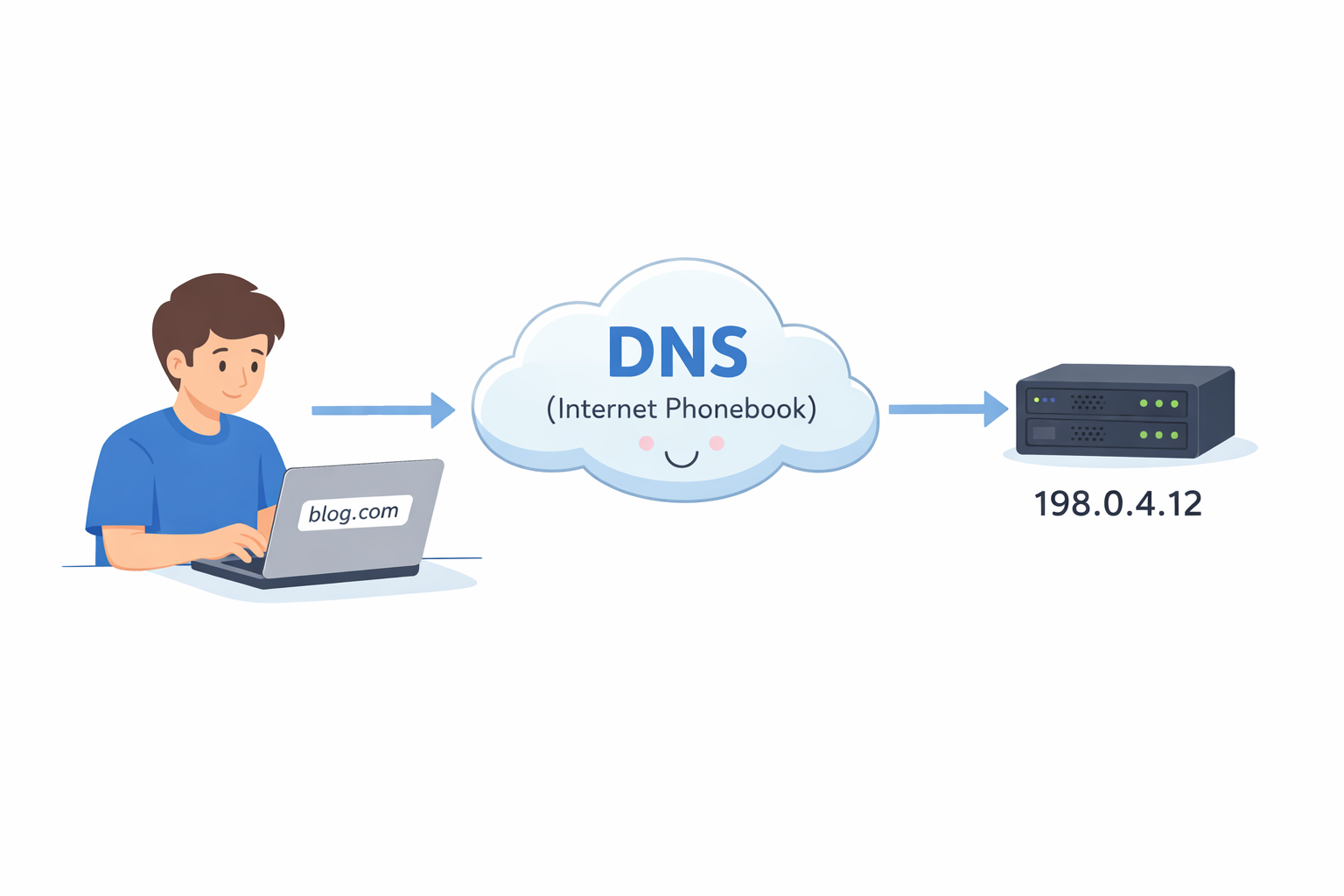
DNS
DNS stands for Domain name system, it is a phonebook of the Internet. DNS system is the whole structure and DNS servers are the machines spread out globally which does the job. Translation is needed because servers or websites don’t understand human readable language. These headache of finding and directing of domains to the IP’s is done by DNS. For example every time you call somebody from your phone you actually see the name and call them, but do you think names are connected with servers no right ?, you save mobile numbers for particular names that are unique number so they get connected via the servers and then you can talk, so here names as same as the domain names and the numbers are the IP’s.
DNS Records
Now DNS records are the instructions to the internet or server on how to handle a particular domain. DNS directs the domain to the respective IP‘s with the help of DNS records, without this DNS will not know what to do with this domain. For example think of domain as a Person who has a ID with address, names, email and phone are mentioned, Now that profile card is our DNS records. So DNS works on DNS records to convert Domain to IP’s.
IPv4 vs IPv6
IP’s are the set of unique numbers assigned to every server, devices etc. to connect with internet for communication purposes or etc. There are two different version of IP addresses used to identify devices on a network .e.g.. 197.0.0.1. So IPv4 use 32 bit address, provides about 4.3 billion IP’s, are now exhausted and it uses NAT to delay exhuastion. Whereas IPv6 use 128bit address offers up to 3.4 * 1038 unique address, enough for every one on earth and beyond that. It is comparatively better than ipv4, because it it is efficient and much more complex than IPv4 . e.g. 2600:1400:d:5a3::3bd4.
A
A Record stands for ‘Address’ records and it connects the domain name to the IPv4 address. So we searched for google.com and DNS reaches A record and A will points us to the IPv4.
AAAA
AAAA Record does exactly same thing as A record, but it returns the domain names in IPv6.
Cname
Cname stands for Canonical name record, it is type of record which create an alias from one domain to another domain. Cname always points to another domain. Imagine you blog domain hosted in vercel with your IP address. Now let’s say the IP of vercel changed , then all the websites will go down and crash, to prevent this, we add cname to our domain to it which will point out to other Domain. Now every domain will be connected to cname , even if the vercel change the IP they will simply points the IP towards the main website. For example vercel main domain IP is 12.12.12.12 and cname is 34.34.34.34 , and you will add your blog’s A record towards cname .
Ns Record
Name Servers, is type of server which tell which DNS server is authoritative for that domain. Ns records tells you where to find IP’s address of DNS. Suppose you have purchased a domain www.blog.com from godaddy, hostinger, etc. now you want Cloudflare to handle the traffic so you will add an ns record (e.g. ns.cf.com) to your domain. And that’s it, now if DNS search for your domain the ns record will direct you to another DNS server and again the query will run for finding A record. It works like a direction board that says, “If you want to find the website or email details of this domain, ask these DNS servers.”
MX Record
MX records stands for Mail Exchange routing and it handles the email routing for your domain. It tells the internet which mail server will be responsible for receiving mails for the domain. It is important because with this record ,DNS would be able to locate the correct mail server . As you would know generally a business have a mail room where the all the postcards and mails are kept because if we place it in front of room (A record ) it may get lost, here the building is the whole server, the mailroom is the correct mail server or place and the postcards are the data or resource, mx records will be the route or person showing the way.
txt Record
Txt is a DNS record which stores the text based information related to a domain. The two important task that is done by this records is to prevent spam email and for verification of domain ownership . For example you are the owner of your house and you’ve kept all the document in a locker room so whenever someone needs to verify you ask them to check the locker, same as this, the txt records acts like a locker room. Let me give me you one more example, think of DNS as the notice board of company and the sticky notes will be the txt record , it doesn’t do anything just give information.
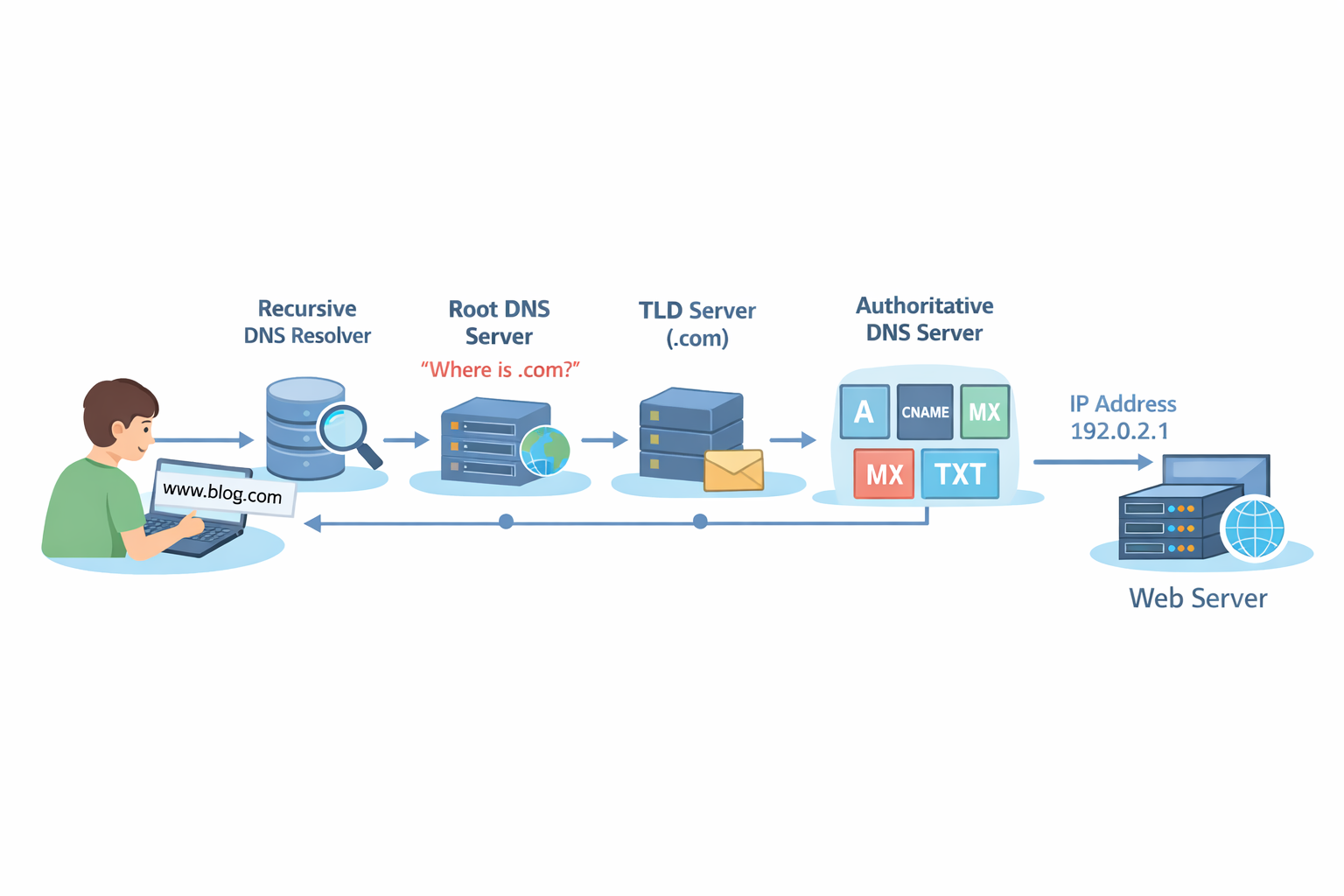
How DNS records work together for one website
Let’s say you own a domain blog.com that you’ve bought from Namecheap . NS Records comes first and it tells where is blog.com . A / AAAA records tells the IP address. If CNAME records is there , then it will point website to another domain , the process run again. Mx records tells where the mails should go , it shows the mail server. During this whole process , txt records adds the metadata which is used to verify information and prevent email spam and etc.


